What Is a Pie Chart? Examples & Best Practices
Learn what a pie chart is, when to use one, common pie chart types, examples, advantages, limitations, and best practices for clear data visualization.
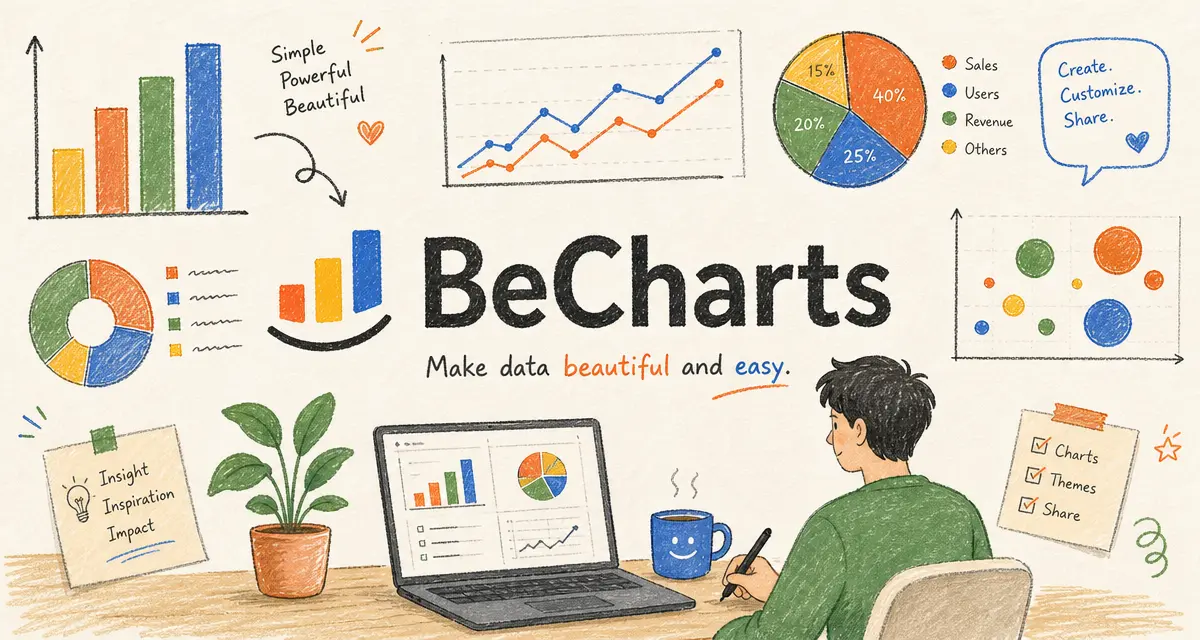
A pie chart, also called a pie graph or circle chart, is a data visualization that shows how a whole is divided into parts. It uses a circle to represent 100% of a total, and each slice of the circle represents a category's share of that total.
Pie charts are popular because they are simple, visual, and easy to recognize. They help readers understand proportions quickly, especially when the goal is to show which category makes up the largest or smallest part of a whole.
For example, a marketing team might use a pie chart to show the percentage of leads that came from organic search, paid ads, social media, email, and referrals. The full circle represents all leads, while each slice shows one channel's contribution.
Why Pie Charts Are Important
Pie charts are useful when the main question is: How is the total divided? They are designed for part-to-whole relationships, where every slice belongs to the same complete total.
This makes pie charts helpful in business reports, dashboards, presentations, research summaries, and educational materials. They can show market share, budget allocation, survey responses, customer segments, traffic sources, and other percentage-based data.
The biggest strength of a pie chart is that it gives readers an immediate sense of proportion. A large slice clearly signals a major category, while a small slice signals a minor one. This makes pie charts effective when the differences between slices are obvious and the number of categories is limited.
Key Parts of a Pie Chart
A clear pie chart usually includes these elements:
- Title: Explains what the chart shows.
- Circle: Represents the complete total, usually 100%.
- Slices: Represent the individual categories or parts of the whole.
- Labels: Identify each category.
- Percentages or values: Show the size of each slice.
- Legend: Explains colors when labels are not placed directly on slices.
In a well-designed pie chart, the slices should add up to the total being measured. If the chart uses percentages, the slices should normally add up to 100%.
When to Use a Pie Chart
Use a pie chart when you want to show how a small number of categories contribute to one total. Pie charts work best when the data is proportional and when the audience needs a quick overview rather than precise comparison.
Good use cases for pie charts include:
- Showing market share by company
- Displaying budget allocation by department
- Comparing website traffic sources
- Showing customer segments by plan type
- Summarizing survey responses
- Displaying device usage share
- Showing product sales share within a category
- Explaining a simple percentage breakdown
Pie charts are most effective when there are only a few slices. If the chart has too many categories, the slices become crowded and difficult to compare. In many cases, a bar chart is clearer when there are more than five or six categories.
Pie Chart Example
Imagine a company wants to show where its website traffic came from last month:
| Traffic Source | Share of Traffic |
|---|---|
| Organic Search | 42% |
| Paid Search | 24% |
| Social Media | 16% |
| 10% | |
| Referrals | 8% |
In a pie chart, organic search would have the largest slice because it contributes the biggest share of traffic. Paid search would be the second-largest slice, followed by social media, email, and referrals.
This chart would help the team quickly understand that organic search is the largest traffic source and that referrals make up the smallest share.
Common Types of Pie Charts
Standard Pie Chart
A standard pie chart uses a full circle divided into slices. Each slice represents one category's share of the total. This is the most common type of pie chart and is best for simple percentage breakdowns.
Donut Chart
A donut chart is similar to a pie chart, but it has a blank center. The empty center can make the chart feel cleaner and can also be used to show a total value or key metric.
Donut charts can be useful in dashboards, but they have the same limitations as pie charts. They are still best for a small number of categories and broad proportional comparisons.
Exploded Pie Chart
An exploded pie chart separates one or more slices from the rest of the circle to highlight them. This can draw attention to an important category, but it should be used carefully. Too much separation can make the chart look cluttered and less accurate.
3D Pie Chart
A 3D pie chart adds depth or perspective to the chart. Although it may look visually interesting, it is usually not recommended because the 3D effect can distort slice size and make the chart harder to read.
Pie Chart vs. Bar Chart
Pie charts and bar charts are both used to compare categories, but they answer different questions.
A pie chart is best when you want to show how categories contribute to a single whole. It works well for simple percentage breakdowns, such as market share or budget distribution.
A bar chart is better when you need to compare values more precisely. Bar charts are also easier to read when there are many categories or when the values are close together.
Use a pie chart when the main message is about proportion. Use a bar chart when the main message is about ranking, comparison, or exact differences.
Pie Chart vs. Donut Chart
A donut chart is a variation of a pie chart. Both show part-to-whole relationships, but a donut chart removes the center of the circle.
The advantage of a donut chart is that it can look cleaner and provide space for a central label, such as "Total Revenue" or "100%." The disadvantage is that the missing center can make slices slightly harder to judge because readers rely more on arc length than area.
For most simple use cases, either chart can work. Choose the format that best fits the design and makes the data easiest to understand.
Best Practices for Creating Pie Charts
To make a pie chart clear, accurate, and useful, follow these best practices.
1. Use Pie Charts for Part-to-Whole Data
A pie chart should show parts of one total. Do not use a pie chart for unrelated values or categories that do not add up to a meaningful whole.
2. Keep the Number of Slices Small
Pie charts are easiest to read when they have a limited number of slices. If you have many categories, use a bar chart or group very small categories into an "Other" slice.
3. Make Sure Values Add Up Correctly
If the chart shows percentages, the slices should normally add up to 100%. If the data does not represent one full total, a pie chart is probably the wrong visualization.
4. Avoid 3D Effects
Three-dimensional effects can make some slices appear larger or smaller than they really are. A flat, two-dimensional pie chart is usually clearer and more trustworthy.
5. Sort Slices Logically
Sort slices from largest to smallest when there is no natural order. This helps readers understand the most important categories faster.
6. Use Clear Labels
Labels should identify each category and, when helpful, show the percentage or value. Direct labels are often easier to read than a separate legend.
7. Use Color Carefully
Each slice should be easy to distinguish. Avoid using too many similar colors, and use a highlight color only when you want to draw attention to one category.
8. Avoid Comparing Too Many Similar Values
Pie charts are not ideal when slices are nearly the same size. If the differences are small, a bar chart will usually communicate the comparison more clearly.
Advantages of Pie Charts
Pie charts have several advantages:
- They are familiar and easy to recognize.
- They show part-to-whole relationships clearly.
- They work well for simple percentage breakdowns.
- They can highlight the largest and smallest categories quickly.
- They are useful in presentations and summary reports.
- They can make high-level data easy for non-technical audiences to understand.
Because pie charts are simple and visual, they can be effective when the message is straightforward and the data has only a few categories.
Limitations of Pie Charts
Pie charts also have important limitations. They can be hard to read when there are many slices, when slices are very small, or when several slices are similar in size. They are also less precise than bar charts for detailed comparison.
Another limitation is that pie charts only work well for one total. If you need to compare multiple groups, time periods, or trends, a bar chart, stacked bar chart, or line chart may be a better choice.
Pie charts can also become misleading when they use 3D effects, unclear labels, or categories that do not add up to 100%.
Pie charts in web content: titles and alt text
If you publish a pie chart in a blog post, report, or online dashboard, use a descriptive title, explanatory headings, and a short summary of the chart's main insight. For exported chart images, add alt text that states the chart type and the main takeaway.
For example:
Pie chart showing website traffic sources, with organic search contributing the largest share at 42%.
That helps search engines index the page context and improves accessibility for screen reader users.
Common Mistakes to Avoid
Avoid these common pie chart mistakes:
- Using too many slices
- Using a pie chart for data that does not add up to a whole
- Comparing values that are too similar
- Using 3D effects
- Leaving slices unlabeled
- Using colors that are hard to distinguish
- Creating multiple pie charts when a bar chart would be clearer
A pie chart should make the data easier to understand. If readers have to work hard to compare slices, another chart type may be better.
Conclusion
A pie chart is a circular data visualization used to show how a total is divided into parts. It is best for simple part-to-whole comparisons, especially when there are only a few categories and the differences between slices are easy to see.
Use a pie chart when you want to communicate proportions quickly, such as market share, budget allocation, traffic sources, or survey response breakdowns. Keep the design simple, use clear labels, avoid 3D effects, and choose another chart type when precise comparison matters.
When used correctly, a pie chart can turn percentage-based data into a clear visual summary that readers can understand at a glance.
FAQ
What is a pie chart used for?
A pie chart is used to show how a total is divided into parts. It is commonly used for market share, budget allocation, survey results, traffic sources, and other percentage-based data.
What is the difference between a pie chart and a pie graph?
There is usually no practical difference. "Pie chart" and "pie graph" are commonly used to describe the same circular visualization.
When should you not use a pie chart?
Avoid using a pie chart when there are too many categories, when values are very similar, or when the data does not add up to one meaningful total.
How many slices should a pie chart have?
A pie chart is usually easiest to read with a small number of slices. If you have more than five or six categories, a bar chart may be clearer.
What is the difference between a pie chart and a donut chart?
A donut chart is a variation of a pie chart with a blank center. Both show part-to-whole relationships, but donut charts can provide space for a central label or total value.
Should pie charts use 3D effects?
In most cases, no. 3D effects can distort the perceived size of slices and make the chart harder to interpret accurately.
Further reading
Try in BeCharts
Open ready-made pie charts templates or jump straight into the editor with sample data loaded.