Charts & graphs
Free chord diagram maker
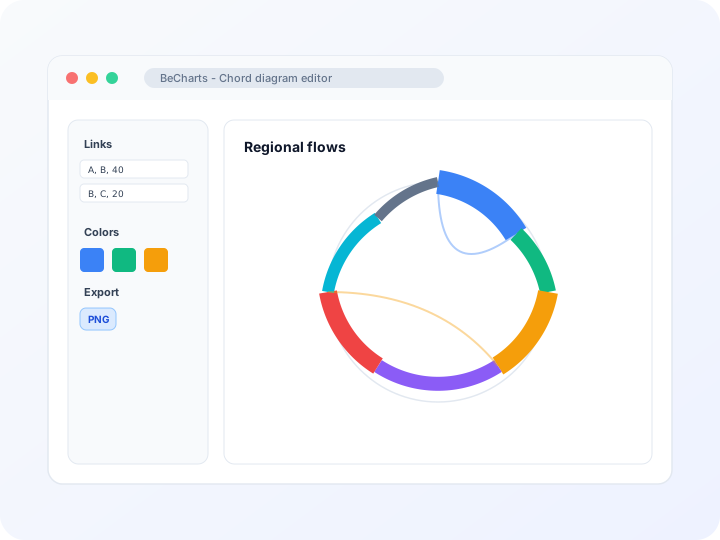
Make a chord chart online with this free chord diagram maker—open a template, edit source-target flows in the network panel, style ribbon colors, and export PNG, SVG, or PDF. Chord diagram generator with no account required.
- Free chord diagram maker—no credit card or signup
- Chord chart builder with source, target, and value link rows
- Chord diagram generator that scales ribbon width from your weights
- Export PNG, SVG, or PDF chord images for reports and slides
Styling
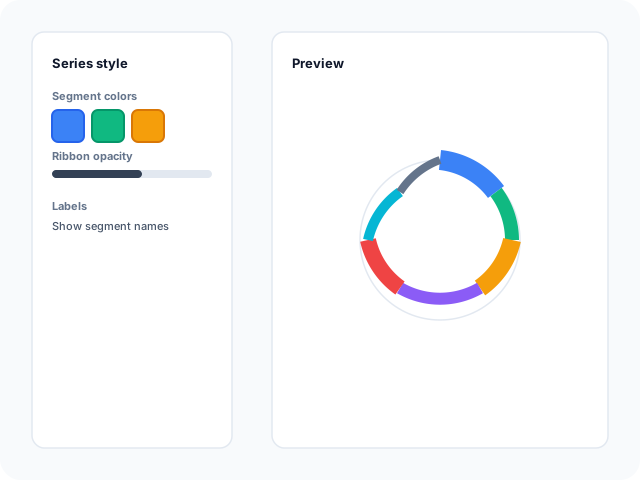
Ribbon colors, labels, and segment layout
Adjust arc colors, ribbon opacity, label position, pad angle, and minimum segment size in the editor sidebar. Tune sort order so related categories group readably around the circle.
Data
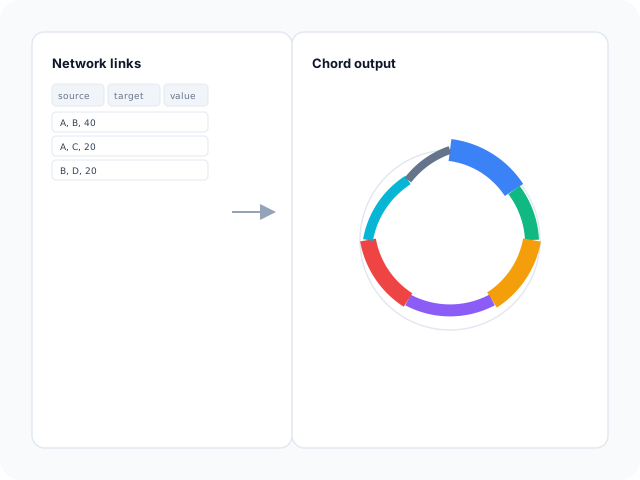
Edit flows in the network editor
Replace sample nodes and source-target links with your own relationship data. Add or remove categories and weights in the chord data panel—each link row controls ribbon thickness between segments.
Output
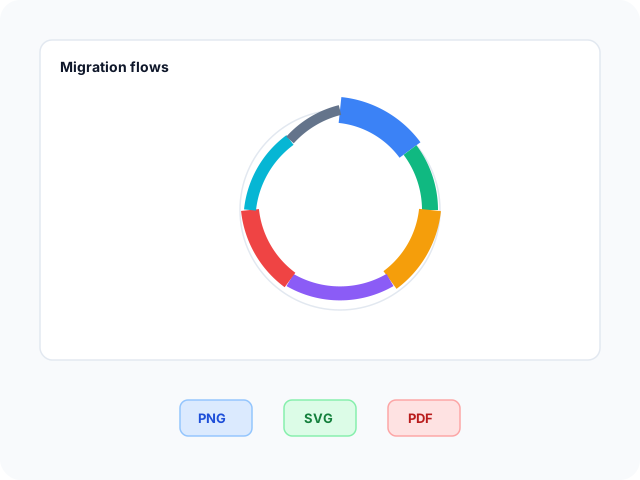
Export for articles and decks
Download high-resolution PNG for slides, vector SVG for design tools, or PDF for documents. Ribbon colors and labels carry through to every export format.
Chord diagram layouts
Start from a basic flow layout, a labeled segment preset, or a styled ribbon ring—then open any example in the editor.
- Basic chord diagramFour-category starter with source-target links and target-colored ribbons. Swap node names and weights for migration, traffic, or handoff flows.
- Labeled segment chord chartSix nodes with visible labels and a minimum arc angle so small categories stay readable. Edit links after opening the template.
- Styled ribbon chord diagramSeven segments with rounded arcs, gradient ribbons, and inner labels. Useful when you need a polished circular flow graphic for slides.
Popular use cases for chord diagrams
Chord diagrams show how volume moves between categories. These are common workflows teams build in the editor and export for analysis decks.
- Migration and origin-destination flowsIllustrate how counts move between regions or cohorts with ribbon width proportional to flow size on one circular graphic.
- International trade between countriesFetch sample export or import flows from the Comtrade panel, then refine node lists and link weights before exporting.
- Website or app traffic handoffsMap paths between pages, features, or funnel steps when bilateral movement matters more than a one-way sankey read.
- Team and process handoffsShow how work items move between departments or stages when both directions and return flows need to stay visible.
- Co-occurrence and relationship matricesTurn a square adjacency table into curved ribbons so audiences spot strong bilateral ties without reading every matrix cell.
- Teaching circular flow graphicsDemonstrate how source-target rows become ribbon thickness using editable sample data students can replace.
Editor features for chord diagrams
Flow templates, network editing, and export options to move from relationship data to a readable ribbon diagram quickly.
- Chord diagram templatesJumpstart from basic, labeled, and styled circular layouts—open a chord chart builder preset with sample nodes and links in one click.
- Network link editorAdd, remove, and edit source-target rows with numeric weights in the chord data panel. Changes update ribbon thickness immediately.
- Trade flow data fetchLoad international export or import flows from the Comtrade panel when you need a real bilateral dataset as a starting point.
- Ribbon and segment stylingControl arc colors, gradient ribbons, label placement, pad angle, and minimum segment size for dense or sparse flows.
- AI-assisted sample dataGenerate demo nodes and links when you need a layout reference, then replace values with your relationship table.
- Export and shareSave PNG, SVG, or PDF files for articles, annual reports, and presentation decks.
Common chord diagram searches
How this chord diagram maker handles typical tasks—from building a chord chart to generating ribbon flows and exporting presentation files.
- Chord diagramBuild a chord diagram in the browser: open a template, edit source-target links, style segment colors, then download PNG, SVG, or PDF when ribbons read clearly.
- Chord diagram makerReplace sample nodes and flow weights in the network panel, tune ribbon colors and labels, and export from the toolbar—no desktop software required.
- Chord diagram generatorGenerate circular ribbon charts from link rows with source, target, and value fields. Ribbon thickness scales automatically from your weights.
- Make a chord chartPick a layout, map categories to arcs around the circle, and add weighted links. Follow the four-step workflow below to go from sample data to an export-ready chord chart.
- Chord chart builderBrowser-based chord chart builder for relationship and flow matrices—templates, network editing, color controls, and PNG, SVG, or PDF export in one editor.
- Chord plotChord plots show bilateral ties as curved ribbons on one ring. Edit link weights in the data panel when you need a circular alternative to a dense matrix table.
How to make a chord chart online in 4 steps
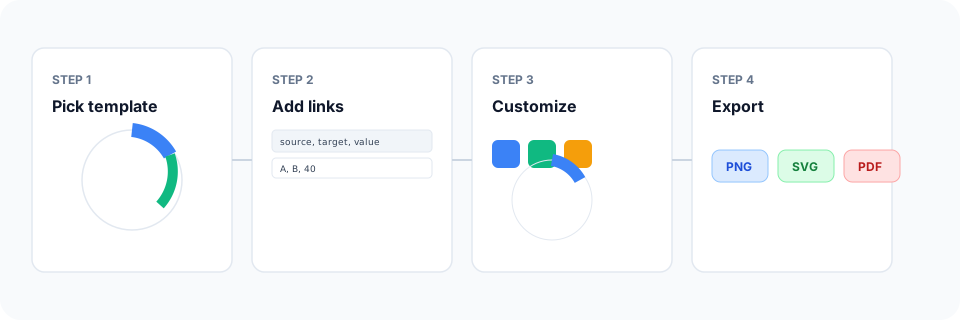
- Open the chord diagram maker or pick a basic, labeled, or styled template below.
- Edit nodes and source-target link weights in the network data panel, or fetch trade flows from the API panel.
- Customize ribbon colors, labels, pad angle, and segment order until the chord plot reads clearly.
- Export as PNG, SVG, or PDF and add the chord diagram to your slide deck, report, or article.
What is a chord diagram?
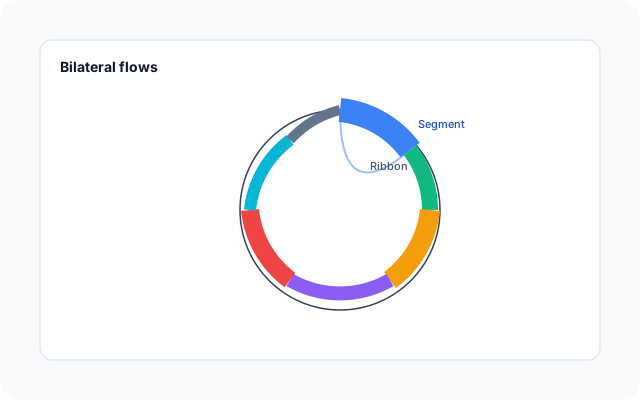
A chord diagram—also called a chord chart, chord plot, or ribbon diagram—places categories as arcs around a circle. Curved ribbons connect pairs of segments; ribbon width shows flow strength between source and target categories.
A chord diagram maker lets you edit link tables instead of drawing arcs by hand. Each row with source, target, and value fields becomes a weighted ribbon; the generator scales thickness and colors automatically.
Chord diagrams fit bilateral or matrix-style relationships—trade, migration, traffic handoffs—not simple one-way pipelines. Limit category count and merge minor flows when labels crowd the ring.
Chord diagram vs sankey diagram vs network graph
Use a chord diagram when categories sit on one circle and bilateral ribbons should show how volume moves between them. Sankey diagrams fit directed flows through stages in columns. Force-directed network graphs emphasize node positions rather than a fixed circular order.
Keep category count modest—roughly two dozen or fewer—for legible labels. In BeCharts you can open a chord template, edit link weights, fetch trade flows when helpful, and export PNG, SVG, or PDF when the graphic is ready.
Chord diagram templates
Browse circular ribbon chart examples, then open any layout in the editor to replace sample flows with your own data.
Explore BeCharts
Jump to templates, the editor, documentation, and guides for chord diagrams and related workflows.
Chord diagram templates
Browse circular ribbon layouts and open any example in the editor.
Open chart editor
Start with a chord template or switch to another chart type anytime.
BeCharts usage guide
Data formats, network editing, and series styling options.
Sankey diagram maker
Show directed flows through stage columns when circular chord ribbons are not the right fit.
How to choose a chart
Pick the right visualization when flows, trends, or category totals matter.
Chart template gallery
Explore bar, line, scatter, combo, and 15+ other chart types.
Frequently asked questions
- How do I make a chord chart online?
- Click "Create your chord diagram" or open any template on this page. Edit nodes and source-target links in the network panel, adjust colors and labels, then export PNG, SVG, or PDF from the toolbar.
- Is this a free chord diagram maker?
- Yes. You can open chord templates and the network editor without a credit card or account. Export options are available from the toolbar at no cost.
- Is this tool for guitar chords or music sheets?
- No. BeCharts builds data-visualization chord diagrams for flows and relationships between categories—not guitar fretboard charts or printable song chord sheets.
- What data does a chord diagram need?
- You need a list of categories (nodes) and weighted links with source, target, and value fields. Square matrices can be converted to source-target rows before editing.
- Can I import CSV into a chord diagram?
- Chord charts do not support CSV upload in the editor today. Type or paste source-target rows in the network data panel, or start from a template and replace sample links.
- Can I load trade flow data?
- Yes. Use the Comtrade panel in the editor to fetch export or import flows between countries, then refine nodes and link weights before exporting.
- What is the difference between a chord diagram and a sankey diagram?
- Chord diagrams show bilateral ribbons on one circle. Sankey diagrams route directed flows through columns or stages. Pick chord when return flows and circular grouping matter on one graphic.
- How many categories can a chord diagram show?
- Readability drops as segments multiply. Most chord diagrams work best with about two dozen categories or fewer; merge small flows into an "Other" group if labels overlap.
- Is a chord diagram the same as a ribbon diagram?
- Yes. "Ribbon diagram," "chord chart," and "circular flow diagram" are common synonyms; BeCharts uses one chord editor for all of them.
- When should I use a network graph instead?
- Use a force-directed graph when node position and cluster layout matter more than a fixed circular order. Chord diagrams emphasize comparable arc segments around one ring.
- What file formats can I export?
- PNG and SVG are supported for digital use, and PDF for documents. Exports reflect ribbon and label styles from the editor.