Charts & graphs
Free online sunburst chart generator
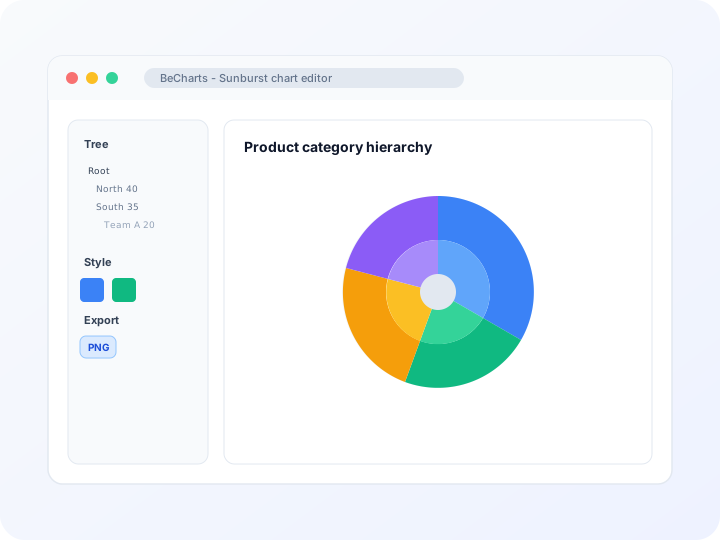
Build sunburst charts, sunburst diagrams, and radial plots in your browser—edit parent-child nodes in the tree panel, tune ring colors and labels, and export PNG, SVG, or PDF. Free sunburst graph maker, no account required.
- Free sunburst chart generator—no credit card or signup
- Sunburst diagram and plot layouts with a hierarchy tree editor
- Ring presets from solid disks to hollow inner-radius layouts
- Export PNG, SVG, or PDF for reports and slides
Styling
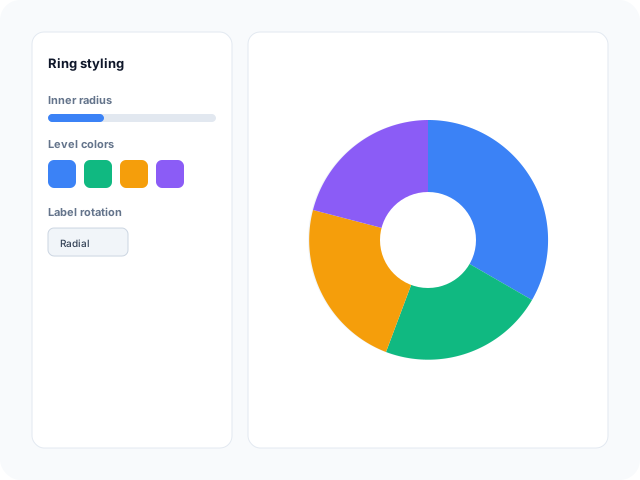
Ring radius, level colors, and labels
Adjust inner and outer radius, per-level label rotation, item colors, and emphasis highlights in the editor sidebar. Keep deep hierarchies readable with tuned ring spacing.
Data
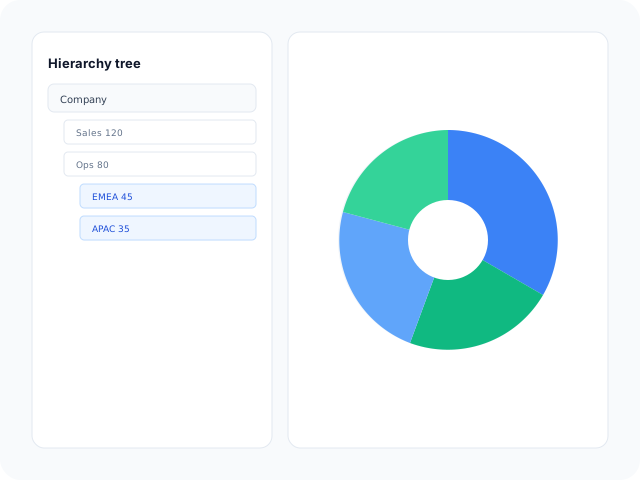
Edit hierarchy in the tree editor
Add, rename, and nest nodes with optional values in the tree data panel. Replace sample branches from any template—arc size scales from leaf values up the hierarchy.
Output
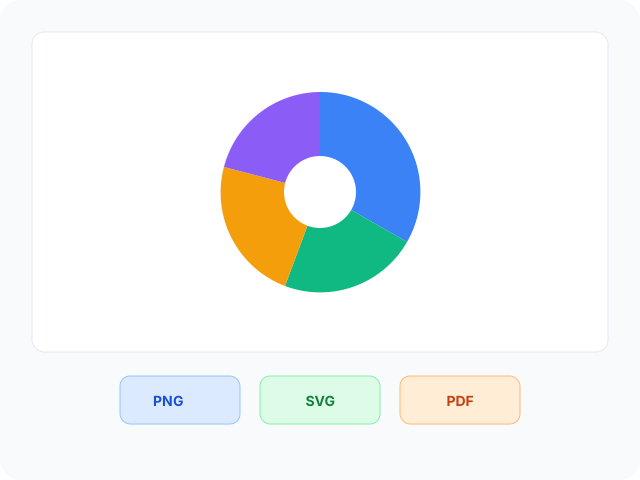
Export for presentations and reports
Download high-resolution PNG for slides, vector SVG for design tools, or PDF for documents. Ring colors and labels carry through to every export format.
Sunburst chart layouts
Start from a basic hierarchy disk, a ring-style layout with a hollow center, or a deep multi-level taxonomy—then open any example in the editor.
- Basic hierarchical sunburstMulti-level family or org-style tree mapped to concentric rings. Ideal when you need a readable starter hierarchy with labeled branches.
- Ring sunburst with inner radiusHollow center ring layout when you want space for a title or metric while nested arcs show composition around it.
- Deep taxonomy sunburstMany nested levels with color-coded branches—useful for product lexicons, skill maps, or detailed category breakdowns.
Where radial hierarchies help
Sunburst charts show part-to-whole composition across nested levels. These are common workflows teams build in the editor and export for decks.
- Product and category rollupsRoll SKU sales up through subcategories to divisions on one radial graphic instead of stacking multiple pie charts.
- Organizational structureShow departments, teams, and roles as nested rings when a flat org chart hides how headcount splits within each branch.
- Portfolio and budget breakdownsMap allocations from asset class to holding on concentric arcs so investors see both top-level mix and detail.
- Geographic hierarchiesFetch continent and country population or area from the REST Countries panel, then refine the tree before export.
- File and project treesVisualize storage use or repo structure when folder depth matters and rectangular treemaps feel too dense.
- Survey and taxonomy mapsDisplay nested response themes or controlled vocabularies when inner rings summarize groups and outer rings show detail.
What you get in the editor
Tree editing, ring styling, optional live data fetch, and export options to move from hierarchy rows to a readable sunburst quickly.
- Sunburst chart templatesJumpstart from basic disks, ring layouts, and deep taxonomy examples you can open in one click.
- Hierarchy tree editorAdd parent and child nodes with optional values in the tree data panel. Changes update ring segments immediately.
- Ring and level stylingControl inner radius, label rotation, sort order, and per-level colors so each hierarchy tier stays distinct.
- REST Countries sample dataFetch continent and country hierarchies from the API panel by metric, then refine nodes in the tree editor.
- Emphasis and tooltipsHighlight branches on hover and show hierarchy paths in tooltips for interactive review before export.
- Export and shareSave PNG, SVG, or PDF files for presentations, documentation, and publication workflows.
Common sunburst chart searches
How this sunburst chart generator handles typical tasks—from building a sunburst diagram online to exporting presentation-ready files.
- Sunburst chart generatorOpen a sunburst template, edit parent-child nodes in the tree panel, tune ring colors and labels, then download PNG, SVG, or PDF from the toolbar—no desktop software required.
- Sunburst diagramMap nested categories on concentric rings when a flat chart cannot show parent-child rollups. Pick a layout, replace sample branches, and preview the radial hierarchy live.
- Sunburst plotTurn a name-value tree into arc segments whose angles reflect share at each level. Edit nodes in the tree editor; inner and outer rings update as values change.
- Sunburst graphBuild radial part-to-whole graphs in the browser—style ring colors, labels, and inner radius, then export PNG, SVG, or PDF for slides or reports.
- Create sunburst chartsStart from a basic, ring, or taxonomy template, replace the sample hierarchy with your tree data, customize styling, and download when the nested rings read clearly.
- Sunburst charts onlineTemplates, the tree editor, and export are free in the browser. No account is required to generate sunburst charts and download PNG, SVG, or PDF files.
How to create sunburst charts online in 4 steps
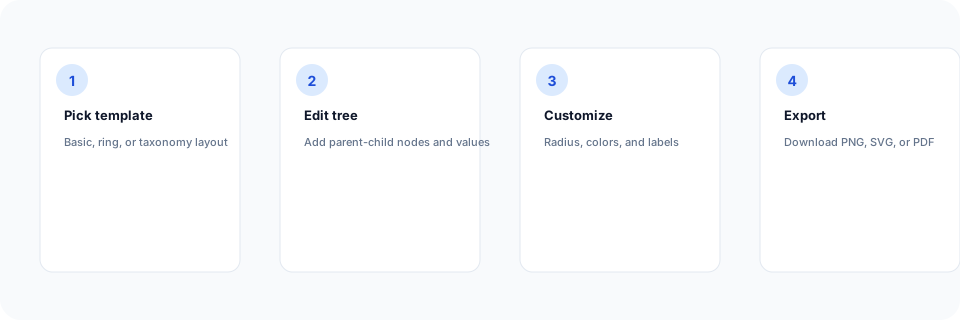
- Open the sunburst chart generator or pick a basic, ring, or taxonomy template below.
- Replace sample parent-child nodes in the tree editor—or fetch REST Countries hierarchy data.
- Customize inner radius, ring colors, labels, and sort order until levels read clearly.
- Export as PNG, SVG, or PDF and add the sunburst diagram to your slide deck, report, or dashboard mockup.
What is a sunburst chart?
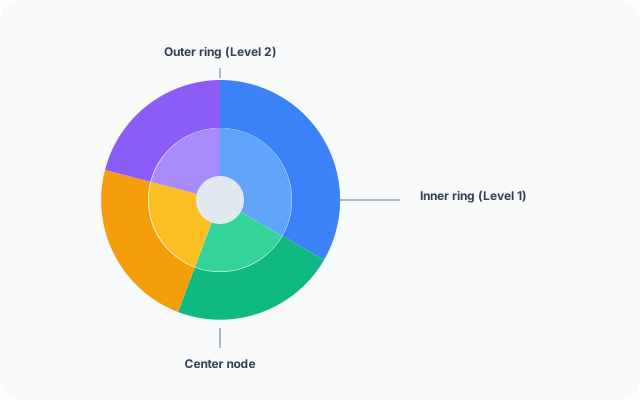
A sunburst chart—also called a sunburst diagram, sunburst plot, or sunburst graph—shows nested categories as concentric rings. Each arc segment represents a branch; segment angle reflects its share of the parent level, which makes rollups and drill-down paths visible at once.
Online sunburst chart generators let you edit a parent-child tree instead of placing arcs by hand. Update nodes in the tree panel, tune ring styling, and export when the hierarchy story is clear.
Sunburst charts work when levels are nested and part-to-whole composition matters at each tier—not for a single flat split (use a pie chart) or unrelated categories without hierarchy.
Sunburst chart vs pie chart vs treemap
Use a sunburst chart when data is hierarchical and you want part-to-whole composition at every level on concentric rings. Pie charts fit one flat split of a total. Treemaps use nested rectangles instead of rings—pick sunburst when a radial layout reads better on slides.
Keep depth manageable—very deep trees crowd outer labels. Merge minor leaves into an "Other" branch when needed, then export PNG, SVG, or PDF.
Sunburst chart templates
Browse sunburst chart examples, then open any layout in the editor to replace sample hierarchy nodes with your own tree.
Explore BeCharts
Jump to templates, the editor, documentation, and guides for sunburst charts and related workflows.
Sunburst chart templates
Browse sunburst layouts and open any example in the editor.
Open chart editor
Start with a sunburst template or switch to another chart type anytime.
BeCharts usage guide
Editor layout, data import, export options, and troubleshooting.
How to choose a chart
Pick the right visualization when hierarchy, trends, or flat shares matter.
Pie chart maker
Show a single-level part-to-whole split when nested rings are not needed.
Chart template gallery
Explore bar, line, treemap, sankey, and 15+ other chart types.
Frequently asked questions
- How do I create a sunburst chart online?
- Click "Create your sunburst chart" or open any template on this page. Edit parent-child nodes in the tree editor, adjust ring colors and labels, then export PNG, SVG, or PDF from the toolbar.
- Is this a free sunburst chart generator?
- Yes. Templates, the tree editor, and export to PNG, SVG, and PDF are free. No account or credit card is required.
- What is the difference between a sunburst chart and a sunburst diagram?
- They refer to the same radial hierarchy visualization—nested rings where arc size shows part-to-whole composition at each level. BeCharts uses one editor for sunburst charts, diagrams, plots, and graphs.
- Is a starburst chart the same as a sunburst chart?
- "Starburst chart" and "starburst graph" are common misspellings or alternate names for sunburst charts. The layout is the same: concentric rings of nested categories.
- What data format does a sunburst chart need?
- Sunburst charts use a hierarchical tree: each node has a name, optional value, and optional children array. Leaf values roll up to parent arcs when values are set at multiple levels.
- Can I import CSV into a sunburst chart?
- Sunburst charts use the dedicated tree editor rather than CSV upload. Build parent-child nodes in the tree panel, or start from a template and replace the sample hierarchy.
- Can I insert a sunburst chart in Excel or PowerPoint?
- BeCharts does not add charts inside Excel or PowerPoint directly. Export PNG or SVG from the editor, then insert the image into a slide or worksheet. For live hierarchy edits, reopen the saved chart in the browser.
- What is the difference between a sunburst and a pie chart?
- Pie charts show one level of categories splitting a total. Sunburst charts stack multiple hierarchy levels on rings so you see nested composition. Use pie for flat shares; use sunburst when parent-child structure matters.
- What is the difference between a sunburst and a treemap?
- Both show hierarchical part-to-whole data. Sunburst uses concentric rings; treemap uses nested rectangles. Pick the layout that fits your slide space and how your audience reads levels.
- Can I load sample geographic hierarchy data?
- Yes. Open a sunburst template and use the REST Countries panel to fetch continent and country trees by population or area. Refine branches afterward in the tree editor.
- What file formats can I export?
- PNG and SVG are supported for digital use, and PDF for documents. Exports reflect ring colors and labels from the editor.