Charts & graphs
Free candlestick chart maker
Draw candlestick charts and OHLC graphs online—import CSV or paste spreadsheet rows, fetch sample stock prices, style bullish and bearish candles, and export PNG, SVG, or PDF. Free candlestick charts with no account required.
- Free candlestick charts—no credit card or signup
- Candlestick chart program in the browser with CSV and Excel import
- OHLC templates with editable open, high, low, and close rows
- Export PNG, SVG, or PDF for reports and slides
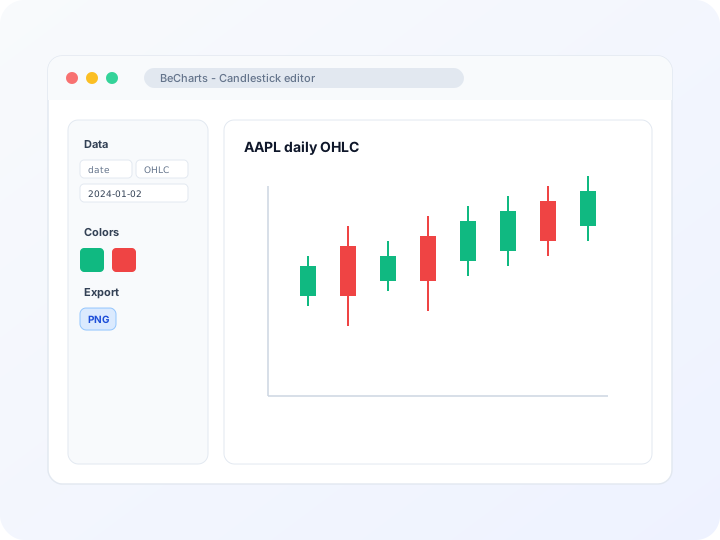
Styling
Bullish and bearish candle colors
Adjust up and down body colors, wick width, border style, and axis scaling in the editor sidebar. Tune date-axis labels and grid lines for readable financial charts.
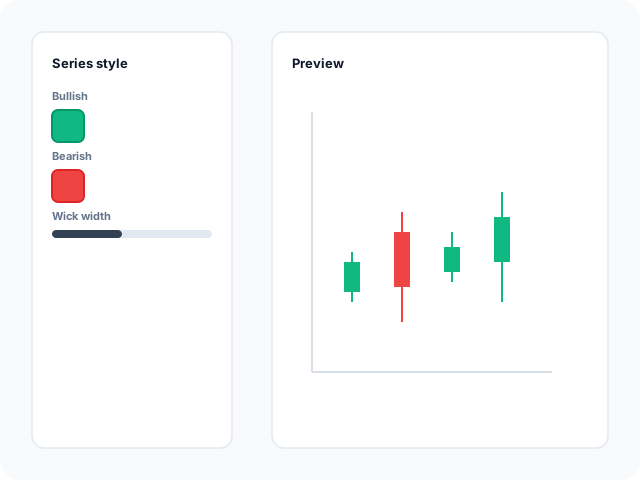
Data
Import OHLC data or fetch stock prices
Paste date and open-high-low-close columns from a spreadsheet, upload CSV or Excel, or load popular stock symbols from the built-in market data panel when you need a quick OHLC starting point.
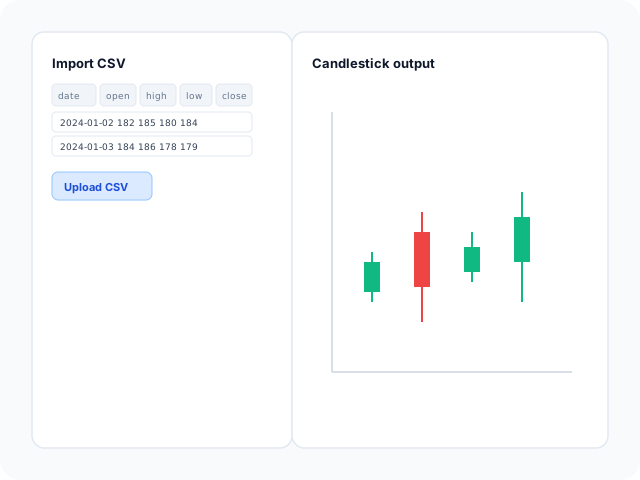
Output
Export for decks and research notes
Download high-resolution PNG for slides, vector SVG for design tools, or PDF for documents. Candle colors and axis labels carry through to every export format.
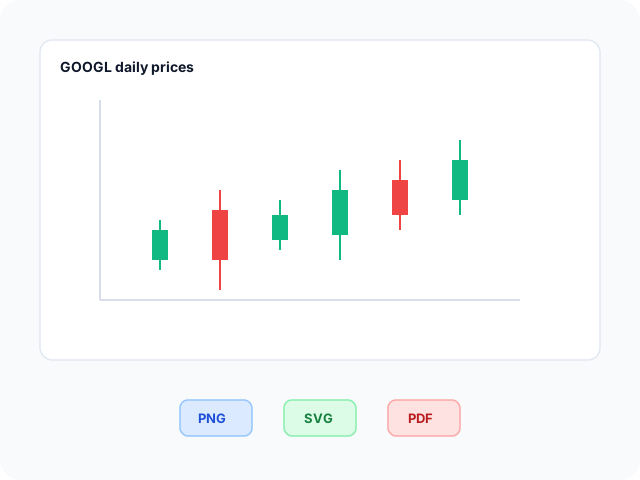
Candlestick chart layouts
Start from a stock-price template with sample OHLC rows, then open any example in the editor and replace the data with your own series.
- Apple stock candlestick chartDaily OHLC layout with standard bullish and bearish candles on a category time axis. Swap sample prices for your own symbol or imported CSV.
- Google stock candlestick chartLonger price history preset with grid lines and axis scaling tuned for multi-month trends. Edit open, high, low, and close cells after import.
- Tesla stock candlestick chartHigher-volatility sample series when you need a dense candlestick view. Useful before pasting your own OHLC export from a spreadsheet.
- Meta stock candlestick chartCompact OHLC starter with title and axis defaults ready for quick swaps. Replace rows or import matching date and price columns.
Popular use cases for candlestick charts
Candlestick charts show how prices move within each time period. These are common workflows teams build in the editor and export for analysis decks.
- Stock and equity price trendsPlot daily or weekly open, high, low, and close values to see bullish and bearish sessions at a glance on one time axis.
- Commodity and index OHLC seriesAny metric that fits an OHLC model—metal quotes, index levels, or aggregated highs and lows—can use the same candlestick workflow.
- Internal trading and research slidesExport PNG or PDF when a single price chart must accompany notes, backtests, or portfolio reviews without a full terminal.
- Spreadsheet exports to presentation graphicsImport CSV columns from Excel or Google Sheets, verify numeric parsing, then style candles before dropping the chart into a deck.
- Teaching and coursework visualsDemonstrate how OHLC fields map to candle bodies and wicks using editable sample data students can replace with assignments.
- Sensor or metric range summariesWhen each interval has open, high, low, and close readings, candlesticks summarize intra-period movement without a line-only view.
Editor features for candlestick charts
OHLC templates, import tools, and export options to move from spreadsheet rows to a readable financial chart quickly.
- Candlestick templatesJumpstart from stock-price layouts with sample OHLC rows you can open in one click.
- CSV and spreadsheet importUpload CSV or Excel, paste from Google Sheets, and bind date, open, high, low, and close columns in the data panel.
- Stock data fetchLoad popular symbols from the built-in market data panel to populate OHLC rows before you customize or export.
- Bullish and bearish stylingControl up and down candle colors, borders, and wick emphasis so sessions read clearly on slides.
- Time axis and zoomFormat category or date axes, grid lines, and data zoom when you need to focus on a specific window.
- Export and shareSave PNG, SVG, or PDF files for research notes, internal dashboards, and presentation decks.
Common candlestick chart searches
How this candlestick chart maker handles typical tasks—from free OHLC charts to importing price data and exporting for slides.
- Candlestick chartBuild a candlestick chart in the browser: open a template, import date and OHLC columns, style bullish and bearish bodies, then download PNG, SVG, or PDF.
- Free candlestick chartsUse candlestick templates and the OHLC editor at no cost. No account or subscription is needed to import data, tune wick colors, and export presentation-ready files.
- Candlestick chart makerReplace sample stock rows with your open, high, low, and close values, or paste from a spreadsheet. The chart updates as you edit the data table.
- Candlestick chart generatorGenerate OHLC graphics from CSV or table data. Each row with four price fields becomes a candle on the time axis without manual drawing.
- Candlestick chart programBrowser-based chart program for financial OHLC series—templates, import tools, color controls, and export in one editor instead of desktop-only software.
- How to draw a candlestick chartPick a template, add OHLC data, and let the editor render bodies and wicks. Follow the four-step workflow below, then export when the price series reads clearly.
How to draw a candlestick chart online in 4 steps
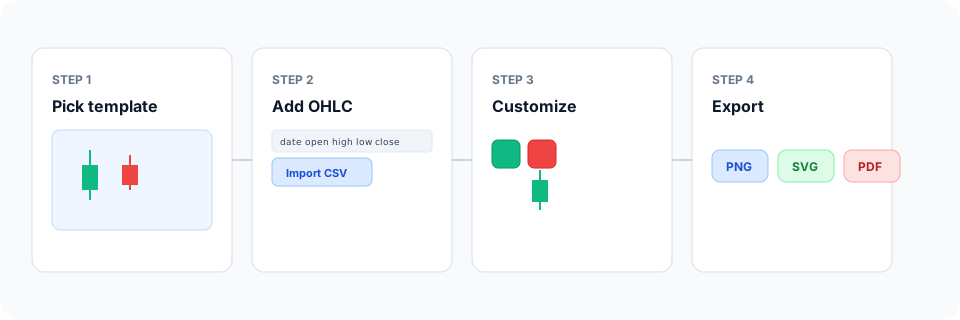
- Open the candlestick chart maker or pick a stock OHLC template below.
- Import CSV, paste spreadsheet rows, or fetch sample stock prices into the data table.
- Customize bullish and bearish colors, axis labels, and grid lines until each candle reads clearly.
- Export as PNG, SVG, or PDF and add the chart to your slide deck, report, or handout.
What is a candlestick chart?
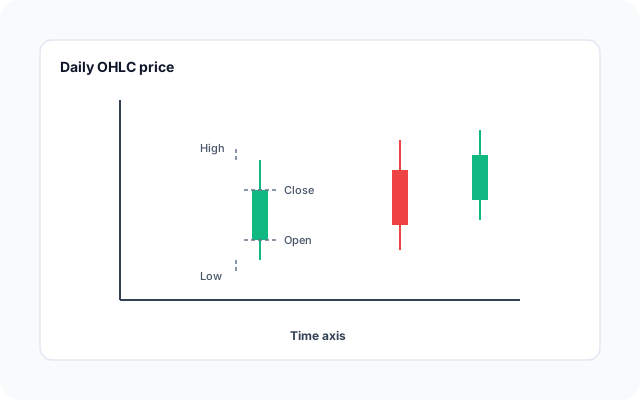
A candlestick chart—also called an OHLC chart or Japanese candlestick graph—shows open, high, low, and close values for each time period. The body spans open to close; wicks extend to the high and low. Color usually marks whether the period closed up or down.
You do not need to draw each wick manually. Import date and OHLC columns—or load a stock template—and the editor renders free candlestick charts with axis scaling and tooltips automatically.
Candlesticks fit financial time series and any metric with four values per interval. Keep numeric columns parsed as numbers and align date order so the time axis reads left to right.
Candlestick chart vs line chart vs bar chart
Use a candlestick chart when each time period has open, high, low, and close values and you want to see intra-period range—not just one closing number. Line charts fit a single value series over time. Bar charts compare discrete categories at one snapshot.
Volume bars often pair with candlesticks in dedicated layouts; BeCharts candlestick templates focus on OHLC bodies and wicks with import and styling in one editor. Export PNG, SVG, or PDF when the price graphic is ready.
Candlestick templates
Browse OHLC stock chart examples, then open any layout in the editor to replace sample prices with your own data.
Explore BeCharts
Jump to templates, the editor, documentation, and guides for candlestick charts and related workflows.
Candlestick templates
Browse OHLC stock layouts and open any example in the editor.
Open chart editor
Start with a candlestick template or switch to another chart type anytime.
BeCharts usage guide
OHLC data formats, CSV import, and series styling options.
How to choose a chart
Pick the right visualization when price ranges, trends, or category totals matter.
Line chart maker
Plot a single value over time when full OHLC candles are not required.
Chart template gallery
Explore bar, line, scatter, combo, and 15+ other chart types.
Frequently asked questions
- How do I draw a candlestick chart?
- Click "Create your candlestick chart" or open any template on this page. Add OHLC data by import or paste, adjust candle colors and axes, then export PNG, SVG, or PDF—the editor draws bodies and wicks from your values.
- Are free candlestick charts available?
- Yes. Templates and the OHLC editor are free to use without a credit card or account. Import data, style candles, and export from the toolbar at no cost.
- How do I make a candlestick chart online?
- Pick a vertical stock template, replace open-high-low-close rows in the data table, tune colors in the Series panel, and download your chart when the time series looks right.
- Is this a candlestick chart program?
- Yes, in the sense of a browser chart program for OHLC data—not desktop install software. You import or edit prices, customize styling, and export graphics from one online editor.
- What data does a candlestick chart need?
- Each period needs open, high, low, and close values plus a date or category label on the time axis. Column order can follow the template; match field names when importing CSV.
- Can I create a candlestick chart from CSV?
- Yes. Upload CSV or Excel from the dataset panel, or paste rows from a spreadsheet. Ensure price columns parse as numbers, then edit cells after import if needed.
- Can I load stock prices into a candlestick chart?
- Yes. Use the stock data panel in the editor to fetch popular symbols into OHLC rows, or start from a stock template and replace values with your own export.
- What is the difference between a candlestick chart and an OHLC chart?
- They describe the same four-value price model. "Candlestick" emphasizes the body-and-wick graphic; "OHLC" names the fields. BeCharts uses one editor for both.
- Is this a trading platform or live market terminal?
- No. BeCharts is a chart maker for styling and exporting OHLC graphics—not a brokerage, order tool, or real-time intraday trading dashboard.
- Can I change bullish and bearish colors?
- Yes. Series colors and border styles are editable in the sidebar. Changes update the live preview and carry through to PNG, SVG, and PDF export.
- When should I use a line chart instead?
- Use a line chart when you track one value per date—such as a single closing price—and do not need open, high, and low per period. Candlesticks fit full OHLC sessions.
- What file formats can I export?
- PNG and SVG are supported for digital use, and PDF for documents. Exports reflect candle and axis styles from the editor.