Charts & graphs
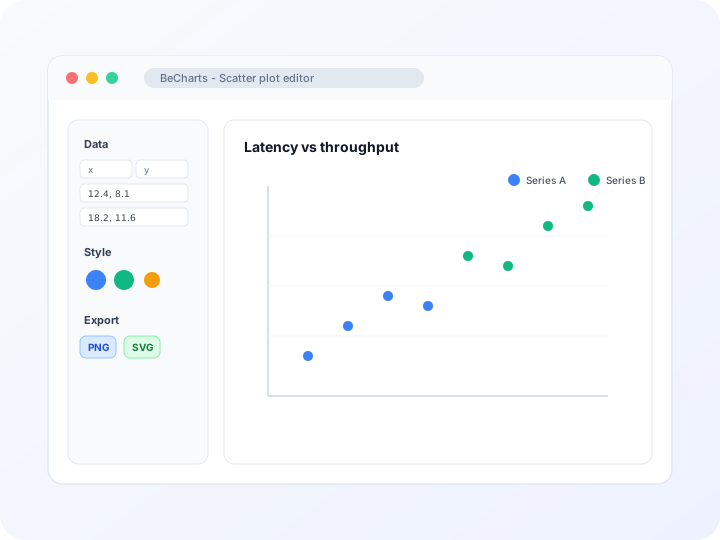
Free online scatter chart maker
Create scatter plots, scatter graphs, and XY diagrams online—enter x-y coordinates in the data table, style markers and axes, and export PNG, SVG, or PDF. Free scatter plot generator, no account required.
- Online scatter chart maker—no credit card or signup
- Scatter plot generator with editable x and y columns per point
- Scatter graph and diagram layouts for correlation charts
- Export PNG, SVG, or PDF for reports and slides
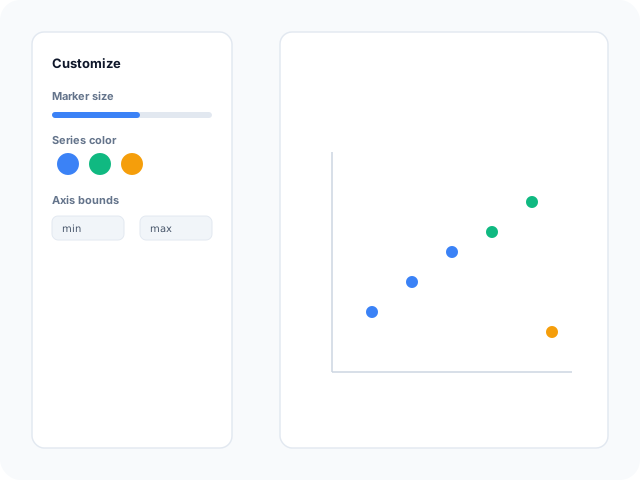
Styling
Customizable scatter markers and axes
Adjust point size, symbol shape, colors, grid lines, and axis scales in the editor sidebar. Tune min and max bounds so dense or sparse clouds stay readable.
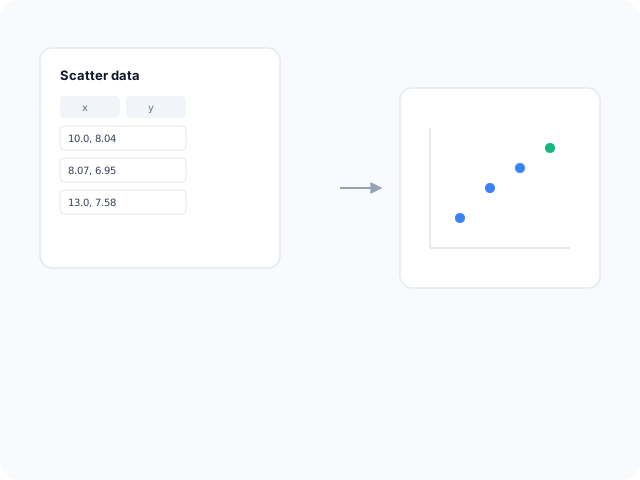
Data
Edit XY coordinates in a point table
Add, remove, and edit rows with numeric x and y values in the scatter data panel. Replace demo points from any template without rebuilding axes from scratch.
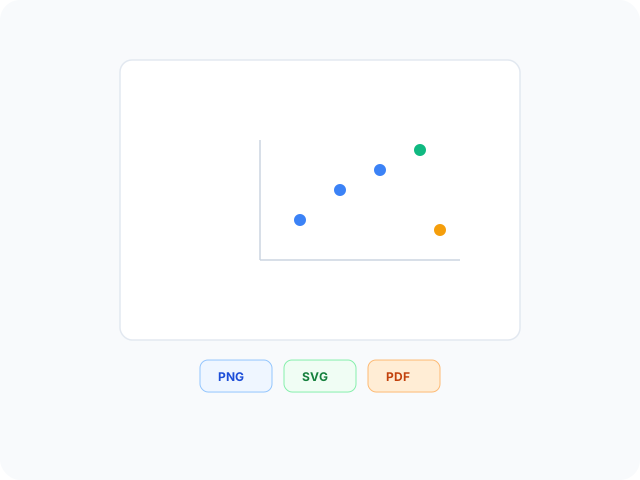
Output
Export for presentations and papers
Download high-resolution PNG for slides, vector SVG for design tools, or PDF for documents. Marker styles and axis labels carry through to every export format.
Scatter plot layouts
Start from a basic XY scatter chart or a multi-series comparison template, then open any example in the editor.
- Basic XY scatter plotPlot one cloud of points on numeric X and Y axes. Ideal for correlation checks, experiment results, or any two-variable dataset.
- Multi-series scatter chartCompare two labeled groups on the same grid—each series keeps its own color so clusters and overlap patterns read clearly.
- Correlation scatter layoutStart from a clean numeric grid when you need a simple dot plot for regression-style stories or outlier review.
Popular use cases for scatter plots
Scatter charts reveal relationships between two numeric variables. These are common workflows teams build in the editor and export for analysis decks.
- Correlation and trend reviewSee whether two metrics move together, diverge, or show no pattern—useful for price versus demand, latency versus throughput, or study variables.
- Outlier and cluster detectionPoints far from the main cloud stand out visually, which helps flag anomalies before deeper statistical work.
- Scientific and lab resultsPlot measured x-y pairs from experiments, then export SVG for papers or PNG for lab meeting slides.
- Marketing performance pairsChart spend versus conversions, impressions versus clicks, or CPM versus CTR to spot efficient and inefficient campaigns.
- Quality and operations monitoringTrack pairs such as cycle time versus defect rate to see whether process changes shift the point cloud.
- Grouped comparisonsUse multi-series templates to color points by category—region, cohort, or product line—on one shared axis pair.
Editor features for scatter plots
Point-table editing, marker styling, and export options to move from raw coordinates to a readable XY chart quickly.
- Scatter plot templatesJumpstart from basic XY layouts and multi-series comparison examples you can open in one click.
- XY point tableAdd rows with numeric x and y coordinates in the scatter data editor. Changes update the chart immediately.
- Marker stylingControl symbol size, shape, and color per series so groups and emphasis points read clearly on the grid.
- Axis and grid controlsSet axis titles, bounds, tick formatting, and grid lines for dense or sparse point clouds.
- AI-assisted sample dataGenerate demo point clouds when you need a starting layout, then replace values with your measurements.
- Export and shareSave PNG, SVG, or PDF files for presentations, documentation, and publication workflows.
Common scatter chart searches
How this scatter chart maker handles typical tasks—from building a scatter plot or XY graph to entering table coordinates and exporting for slides.
- Scatter plot makerOpen a scatter template, type x and y values in the point table, style markers and axes, then download PNG, SVG, or PDF from the toolbar—no desktop software required.
- Scatter plot generatorGenerate a scatter chart from numeric pairs in the editor. Replace demo coordinates row by row or add new points; the plot updates as you edit the table.
- Scatter graph makerPlot two numeric variables on horizontal and vertical axes. Each row becomes a dot you can resize, recolor, or remove in the scatter data panel.
- Free scatter plot makerUse scatter templates and the XY editor at no cost. No account or credit card is needed to style markers, tune axis bounds, and export presentation-ready files.
- Scatter diagram creatorScatter diagrams and scatter charts use the same editor workflow. Pick a basic or multi-series template and map x-y columns to points on a numeric grid.
- XY graph maker from tableEnter coordinates directly in the scatter point table—paste values or type rows one at a time. Multi-series templates let you color separate groups on shared axes.
How to make a scatter chart online in 4 steps
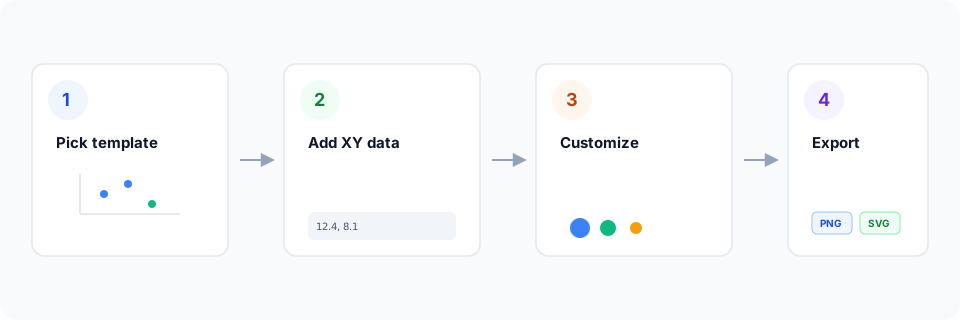
- Open the scatter chart maker or pick an XY scatter template below.
- Replace sample x-y coordinates in the point table or add new rows for your data.
- Customize marker size, colors, axis labels, and grid lines until the scatter graph reads clearly.
- Export as PNG, SVG, or PDF and add the chart to your slide deck, report, or paper.
What is a scatter chart?
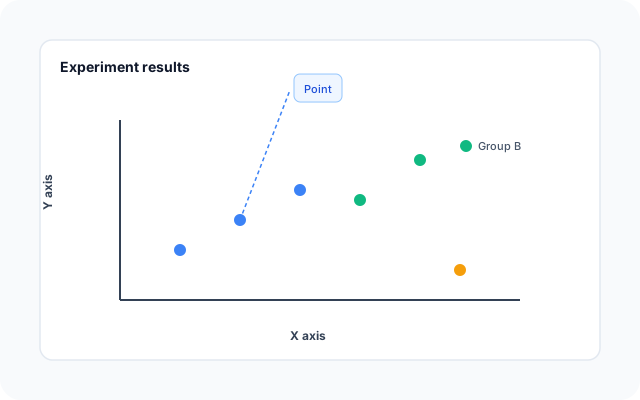
A scatter chart—also called a scatter plot, scatter graph, scatter diagram, or XY graph—places each observation as a point defined by an x value and a y value. Patterns in the cloud reveal correlation, clusters, outliers, and gaps that tables alone can hide.
Online scatter chart makers and scatter plot generators let you enter coordinates instead of positioning dots manually. Edit the point table, adjust axes, and export when the relationship story is clear.
Scatter plots work when both variables are numeric and you care about distribution or relationship—not category rankings at a single snapshot. Keep axis units labeled so viewers interpret x and y correctly.
Scatter plot vs line chart vs bar chart
Use a scatter plot when both axes are numeric and you want to see how points distribute, cluster, or correlate. Line charts fit ordered sequences—especially time—where the story is change along the axis. Bar charts compare discrete categories at one value each.
Bubble charts extend scatter plots when marker size encodes a third variable. BeCharts scatter templates focus on x-y points and multi-series color groups; export PNG, SVG, or PDF when the plot is ready.
Scatter plot templates
Browse scatter chart examples, then open any layout in the editor to replace sample coordinates with your own.
Explore BeCharts
Jump to templates, the editor, documentation, and guides for scatter plots and related workflows.
Scatter plot templates
Browse scatter layouts and open any example in the editor.
Open chart editor
Start with a scatter template or switch to another chart type anytime.
BeCharts usage guide
Data formats, scatter editor controls, and styling options.
How to choose a chart
Pick the right visualization when correlation, trends, or categories matter.
Line chart maker
Plot ordered trends and time series when scatter points are not the right fit.
Chart template gallery
Explore bar, line, pie, combo, and 15+ other chart types.
More chart makers
Frequently asked questions
- How do I make a scatter chart online?
- Click "Create your scatter plot" or open any template on this page. Enter x and y values in the point table, adjust markers and axes, then export PNG, SVG, or PDF from the toolbar.
- Is this a free scatter plot maker?
- Yes. You can open scatter templates and the XY editor without a credit card or account. Export options are available from the toolbar at no cost.
- What is the difference between a scatter chart and a scatter plot?
- They refer to the same chart type. "Scatter graph," "scatter diagram," "XY graph," and "scattergram" are common synonyms; BeCharts uses one scatter editor for all of them.
- Can I create a scatter plot from a table?
- Yes. Type or paste numeric x-y pairs row by row in the scatter point table. Each row becomes a marker on the chart. Scatter charts do not use CSV upload—use the built-in coordinate editor instead.
- Can I import CSV into a scatter plot?
- Scatter charts use the dedicated x-y point table rather than CSV upload. Paste or type numeric pairs row by row, or start from a template and replace the sample coordinates.
- What data does a scatter plot need?
- Each point needs a numeric x value and a numeric y value. Multi-series templates use separate datasets so you can color groups differently on the same axes.
- Is this a scatter plot solver or regression tool?
- No. BeCharts is a chart maker for plotting and styling point clouds—not a statistics solver. For trend lines or regression output, export the chart and add analysis in your spreadsheet or stats software.
- Can I compare two groups on one scatter chart?
- Yes. Open the multi-series scatter template or add a second dataset in the editor. Each series can use its own marker color on shared x and y axes.
- How do I spot outliers in a scatter plot?
- Outliers appear as points far from the main cluster. Zoom axis bounds or reduce marker size when many points overlap so distant values stay visible.
- Is a scatter plot the same as a bubble chart?
- A bubble chart is a scatter plot where marker size encodes a third variable. BeCharts scatter templates focus on x-y points and series color; use symbol size controls when you need emphasis by magnitude.
- When should I use a line chart instead?
- Use a line chart when the horizontal axis is ordered—especially time—and the story is how one or more metrics change. Scatter plots fit unordered numeric pairs and distribution patterns.
- What file formats can I export?
- PNG and SVG are supported for digital use, and PDF for documents. Exports reflect marker and axis styles from the editor.