

SmartDraw review for diagram software
Review SmartDraw in 2026 for flowcharts, floor plans, and diagrams, and when a chart editor is a better fit.
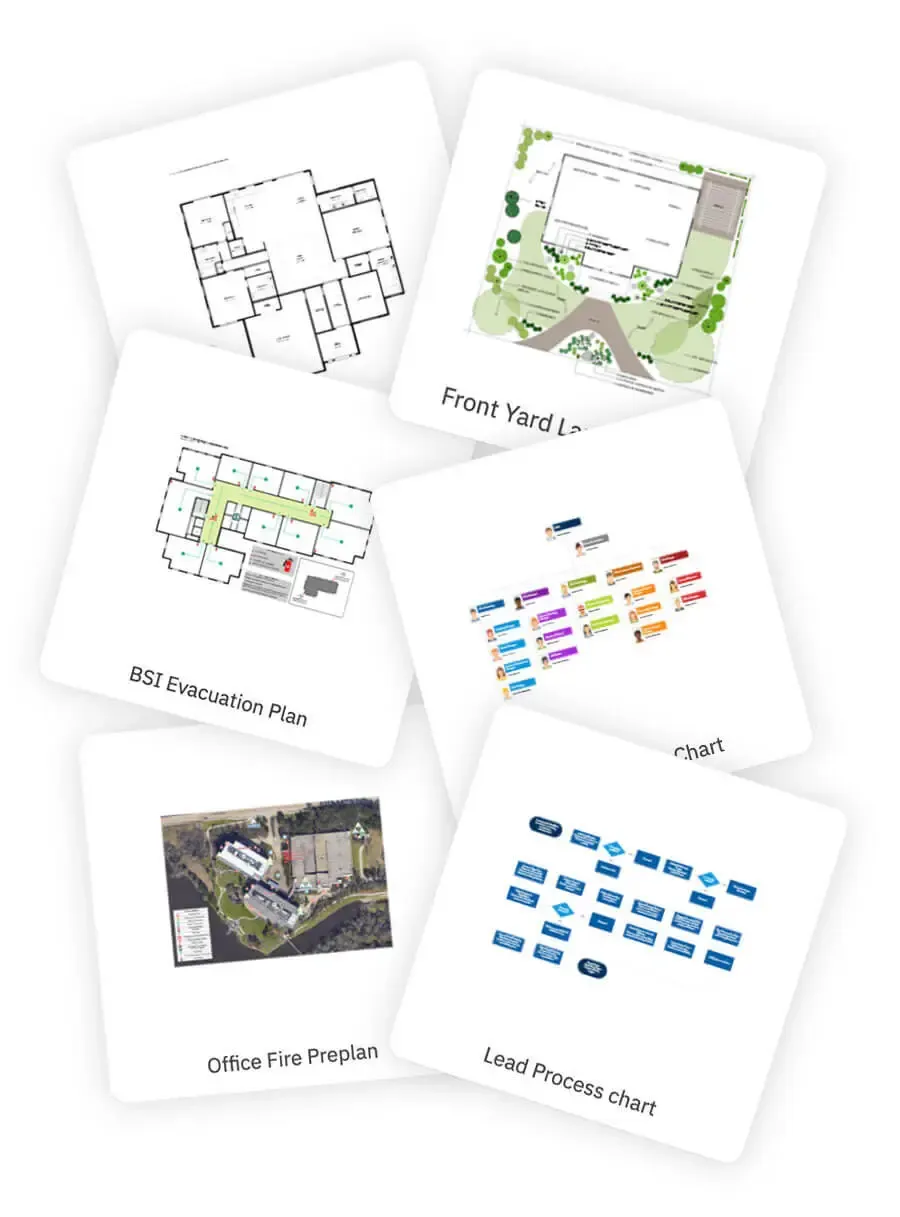
If your work goes beyond basic flowcharts and includes floor plans, site plans, planograms, org charts, engineering diagrams, evacuation plans, accident reconstructions, maps, whiteboards, and mind maps, SmartDraw has a more serious, professional orientation than many lightweight whiteboard tools.
Bottom Line
SmartDraw is not the lightest online whiteboard, and it is not the cheapest flowchart tool. Its value comes from the combination of broad template coverage, professional symbol libraries, automatic formatting, and team collaboration features. Together, those strengths help non-design roles produce polished, structured diagrams more quickly.
It is best suited for teams that regularly need formal business diagrams, technical drawings, space layouts, site plan diagrams, retail planograms, class diagrams, schema diagrams, network diagrams, family tree drawings, or process documentation. If you only need to create a simple flowchart once in a while, lighter tools such as Miro, FigJam, draw.io, or Lucidchart may feel more direct.
Overall Scores
| Category | Score |
|---|---|
| Feature depth | 8.2 |
| Ease of adoption | 7.6 |
| Collaboration | 7.8 |
| Value for money | 7.1 |
What Is SmartDraw?
SmartDraw is diagramming software built for professional charts and business drawings. Its website highlights use cases such as plans for buildings, homes, offices, sites, planograms, evacuations, fire safety, and accident reconstructions, while also covering common business diagrams such as flowcharts and org charts.
That gives SmartDraw a different feel from a general-purpose whiteboard. Whiteboard tools usually start with open-ended collaboration; SmartDraw starts with structured drawing scenarios and templates. When you open it, the experience feels less like facing a blank canvas and more like choosing a specific diagramming workflow.
Primary topics covered: SmartDraw review, diagram software, flowchart maker, floor plan software, site plan software, planogram maker, org chart maker, timeline examples, schema diagram tool, network diagram software, family tree drawing, growth share matrix, piping and instrumentation diagram, space planning software, Visio alternative.
User Experience: Strongest From Template to Finished Diagram
SmartDraw's core workflow can be summarized as: choose a scenario, customize a template, and let automatic formatting help preserve structure. For flowcharts, org charts, and floor plans, where diagrams can easily become messy, alignment tools, connectors, and symbol libraries reduce the amount of manual cleanup.
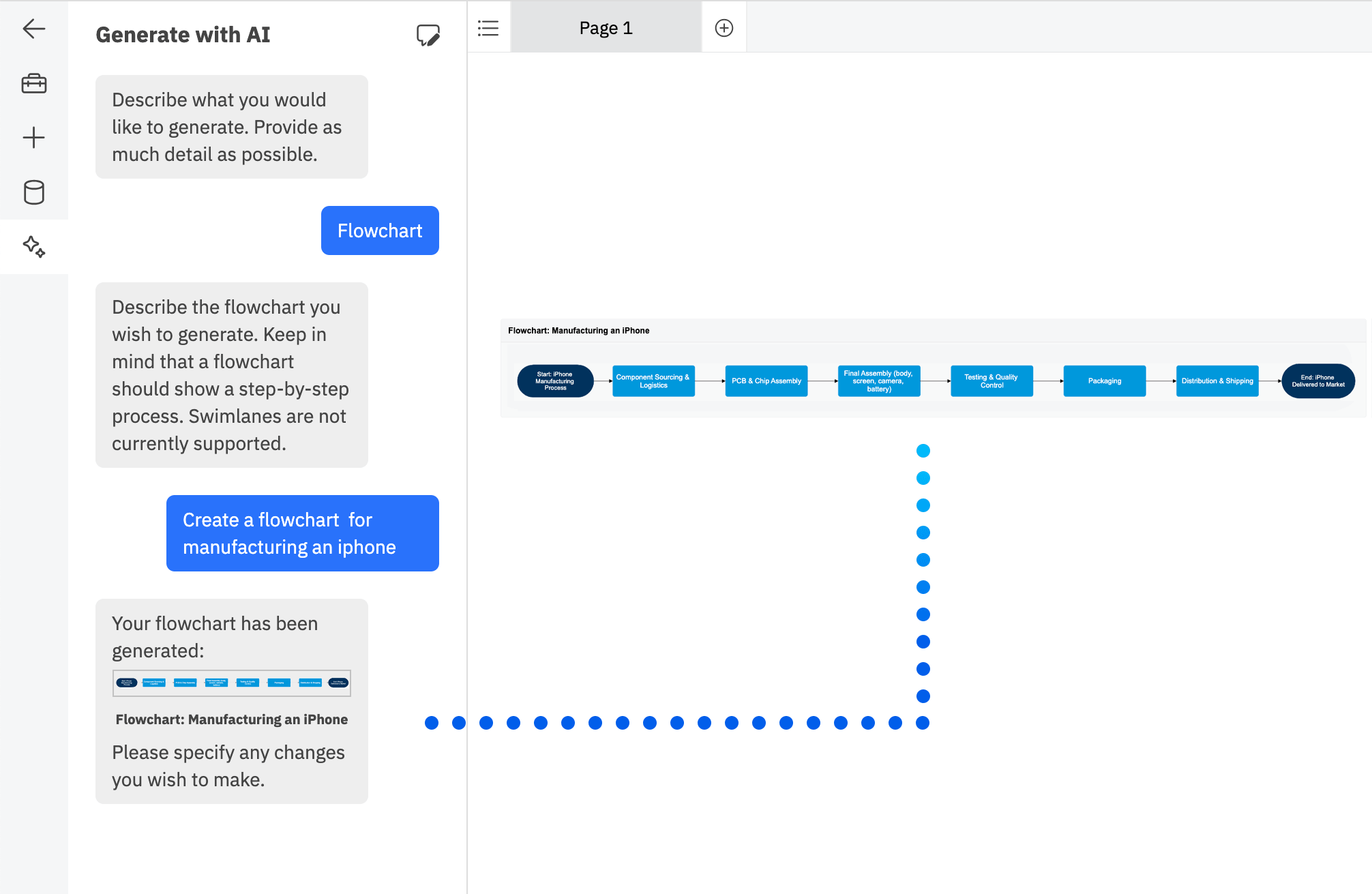
SmartDraw's AI page demonstrates the ability to generate flowcharts from prompts.
1. AI Is Useful for Drafting, Not for Final Approval
SmartDraw's official AI page focuses on going from prompt to diagram, turning written descriptions into editable diagrams. The highlighted scenarios include flowcharts, org charts, mind maps, and timelines. In practice, I would treat this as a first-draft structure generator: useful for getting an initial process out of your head quickly before human review.
The limitation is clear: diagrams involving business rules, approval nodes, exception paths, or cross-functional responsibilities still need careful verification. For diagrams going to clients, construction teams, legal reviewers, or management, the AI-generated first draft should not be treated as final.
2. Floor Plans, Site Plans, and Space Planning Are the Differentiator
Many online diagramming tools can create flowcharts, but SmartDraw stands out in more industry-specific drawing scenarios. Its floor plan page shows capabilities such as AI floor plans, layers, scale rulers, grids, and shape data. These features matter more for office layouts, site plans, evacuation plans, store planning, cabinet design, pool drawing, garden design, residential remodeling, space planning, and similar real-world drawing tasks.
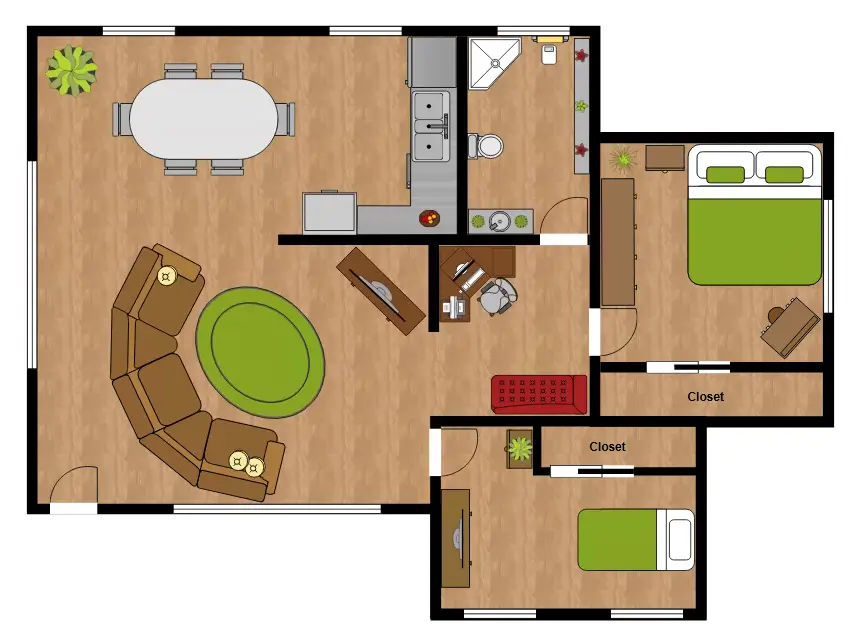
Floor plans, site plans, spatial layouts, and symbol libraries are key reasons SmartDraw differs from ordinary whiteboard tools.
3. Flowcharting Is Mature, but the Interface Is Not the Lightest
Flowcharting is one of SmartDraw's core strengths. Templates, connectors, swimlanes, and business-process examples are well covered, making it suitable for SOPs, approval workflows, inspection processes, and IT support flows. The tradeoff is that the interface has a professional, information-dense feel. New users may need time to adjust, especially if their team is used to lighter tools such as Notion, Canva, or simple whiteboards.
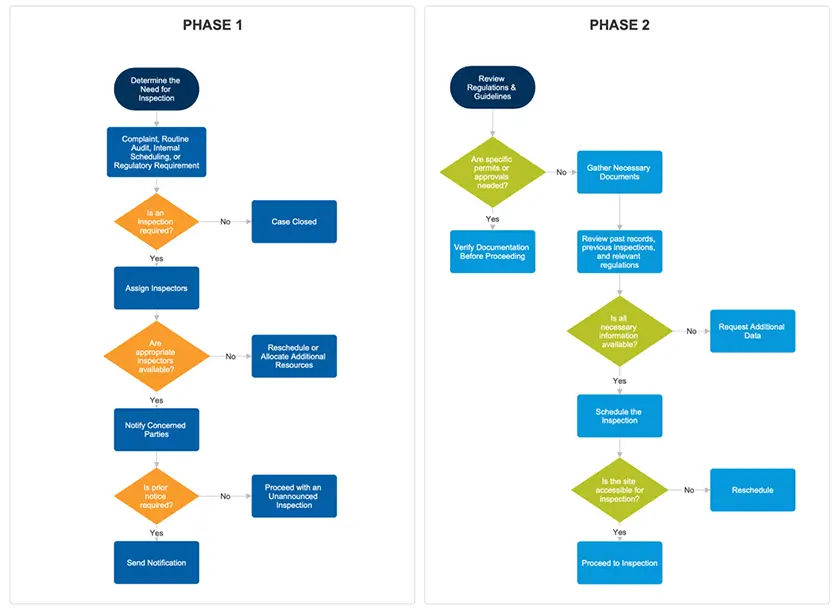
For formal process documentation, SmartDraw's templates and automatic formatting are more reliable than free-form whiteboarding.
Popular SmartDraw Use Cases and Search Intent
SmartDraw has a wide footprint because users often search for a specific diagram type rather than a generic diagramming tool. That is also the best way to evaluate the product: start from the drawing you need, then decide whether SmartDraw's template depth saves enough time.
Planograms and Retail Layouts
For searches such as "planograms" or "planogram maker," SmartDraw is most relevant to users planning shelves, store layouts, product placement, and retail merchandising. This is a stronger fit than a generic whiteboard because planograms benefit from templates, symbols, spacing, and repeatable layout structure.
Site Plans, Floor Plans, House Plans, and Space Planning
SmartDraw is a strong candidate for "site plan," "floor plan software," "space planning," "pool drawing," "cabinet design," "garden drawing," related queries such as "gardening draw," and even multilingual searches such as "plano de casa." These use cases need scale, grids, layout symbols, and structured editing more than free-form brainstorming.
Maps and Regional Diagrams
The keyword set includes map-driven terms such as "California counties map," "map of California counties," "county map of California," "northeast map," "map of northeast," and "map southeast region US." SmartDraw can be useful when a user needs editable map templates for reports, territory planning, regional analysis, or presentation graphics.
Technical Diagrams: Schema, Network, Class, and P&ID
For technical teams, SmartDraw is relevant to "schema diagram," "diagram a network," "network diagram software," "draw a class," and "piping and instrumentation diagram." These diagrams need standardized shapes, connectors, and readable structure, which is where SmartDraw's template-first approach has an advantage over a blank canvas.
Business Planning Diagrams
SmartDraw also fits business and strategy keywords such as "growth share matrix," "timeline examples," and "format for schedule of works." These are not always complex diagrams, but templates help users produce something presentable without manually building every axis, label, or milestone from scratch.
Meeting and Blueprint Planning Templates
Several keyword variants around "SmartDraw blueprint meeting" appear to point toward meeting templates, project charts, conference planning, room layouts, and agenda-style planning diagrams. SmartDraw is useful here when a meeting output needs to become a structured document rather than a loose set of whiteboard notes.
Pricing and Plans
As of 2026-05-20, SmartDraw's official purchase page shows an introductory price for new customers of $7.95 per month for the Individual plan, billed annually. The Team plan is listed at $6.95 per user per month, billed annually, with a 3-user minimum. Enterprise pricing requires contacting sales. Because the page labels these as introductory prices for new customers, pricing should be checked again before purchase or renewal.
| Plan | Official page price | Best fit |
|---|---|---|
| Individual | $7.95/month, billed annually; introductory price for new customers | Consultants, project managers, and freelancers who need to produce diagrams regularly |
| Team | $6.95/user/month, billed annually; 3-user minimum | Small teams that need shared folders, team administration, and consistent collaboration |
| Enterprise | Contact sales | Organizations needing SSO, multiple shared folders, company themes, and customer success support |
Strengths and Weaknesses
Strengths
- Broad template and diagram coverage, especially for formal business documentation.
- Automatic formatting, symbol libraries, and professional drawing features reduce manual cleanup.
- AI generation is useful for creating quick first drafts.
- Team and Enterprise plans include management, shared folders, SSO, and other organization-level features.
Weaknesses
- The interface and feature set are professional and dense, so new users need time to adapt.
- It may feel heavy if your main use case is simple whiteboard collaboration.
- Pricing is billed annually, and the Team plan has a 3-user minimum.
- AI-generated diagrams still require manual review for business logic and accuracy.
Best Fit and Poor Fit
| Recommended for | Be cautious if |
|---|---|
| Operations, administration, engineering, facilities, fire safety, consulting, and IT process teams. | You only need to draw simple flowcharts occasionally. |
| Teams that want flowcharts, org charts, site plans, planograms, space layouts, maps, and technical drawings in one tool. | Your main need is free-form brainstorming or visual collaboration. |
| Users who want to start with templates or AI drafts, then revise them into formal documents. | Your budget is tight and annual billing or minimum team seats are a problem. |
Final Recommendation
The buying question for SmartDraw is not simply "Can it draw diagrams?" It is "Does your team regularly need to deliver standardized, professional diagrams?" If the answer is yes, SmartDraw's templates, automatic formatting, and professional drawing capabilities can meaningfully improve efficiency. If you only create diagrams occasionally, its professional depth may feel more like overhead.
My recommendation is to test it with one real task first: an office floor plan, site plan, planogram, California counties map, network diagram, class diagram, growth share matrix, cross-department approval process, or evacuation plan draft. If SmartDraw helps you reduce rework, alignment cleanup, and redrawing compared with your current tool, it has a clear case for purchase.
FAQ
Is SmartDraw good for planograms?
Yes. SmartDraw is a practical option for planograms because retail layouts benefit from templates, structured spacing, and repeatable symbols. It is especially useful when the planogram needs to become a shareable business document.
Can SmartDraw create a site plan or floor plan?
Yes. SmartDraw supports floor plans, site plans, space planning, office layouts, residential layouts, and related diagrams. Its scale, grid, layer, and symbol features make it better suited to these tasks than a generic whiteboard.
Can SmartDraw make maps such as a California counties map or northeast map?
SmartDraw includes map-oriented templates and examples, which can help users create editable regional diagrams such as a California counties map, northeast map, or southeast region US map for reports and presentations.
Is SmartDraw useful for schema diagrams and network diagrams?
Yes. SmartDraw is useful for schema diagrams, network diagrams, class diagrams, and other technical visuals where standardized symbols and clean connectors matter.
Is SmartDraw a Visio alternative?
SmartDraw can be a Visio alternative for many business, technical, and floor plan use cases, especially for teams that prefer template-guided online diagramming. Visio may still be stronger for organizations deeply standardized on Microsoft-specific workflows.
Try in BeCharts
Open ready-made line charts templates or jump straight into the editor with sample data loaded.